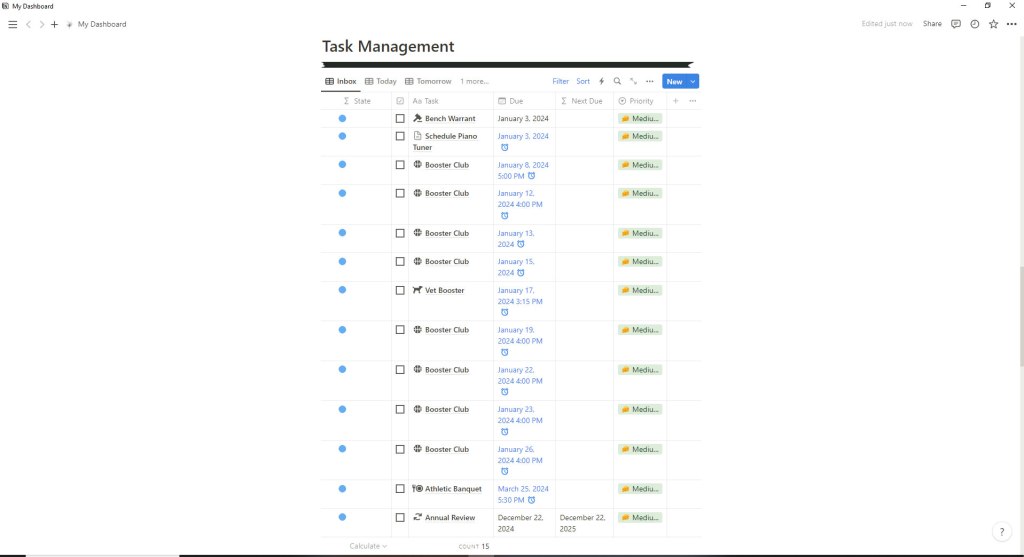
The next part of My Dashboard on Notion is the section for Task Management. Like the sections previously discussed, the Task Management sections is a series of views showing the sections of the Ultimate Task Manager that I wanted to see on the dashboard. In the view above, you can see that this is the Inbox view. Whenever I think of something that I have to do, whether it has a deadline or not, I scroll down to new and add the item to the list of tasks within my Inbox.
Task Management may be a bit of misnomer because it is not just “tasks” but also include appointments. For example, I recently got an updated schedule of games from the Booster Club. With a daughter that is a cheerleader and a volunteer for the club, I was able to quickly and easily enter all the of the various game dates and times in my Inbox, even the preliminary dates. Anything cancelled I can just delete or mark done. If a game gets rescheduled due to weather or school closings, I can easily edit it as well.
Some of the items in the Task Management section gets marked complete or done while still in that section; others are bigger items that I move up to the top of the dashboard to the highlights section. In this way, I can make sure that I do not forget anything related to the various responsibilities that I am juggling.

As you can see in this view (if you click on it to enlarge it), I can also filter my task list for the Next 7 Days. With a single click, I can narrow the view of what I want to see from everything in the Inbox, to just what has to be done that day (Today), or look ahead to what I have to do Tomorrow. Most of the time I have my Task Management set to either the Inbox, as the default just because it works for me. I periodically check the Next 7 Days when I am looking at my week for such things as meal planning.
In addition to showing everything in the Task Management in a list format, anything designated with a specific date or a specific date and time, will appear on The Calendar that I have placed at the bottom of My Dashboard.

I like being able to see everything that I have assigned within a specific month. Typing it into the Inbox from my phone, tablet, or desktop, ensures that nothing is forgotten or double-booked – which I have done in the past. I can also check when something is done from The Calendar view; I do not have to go back to the list and try to find it.
So that is everything that I have on My Dashboard that pertains to Task Management. The last post on My Dashboard in Notion will cover my Note Board and Projects.


 Meadows Cozy Corner
Leave a reply to Productivity Challenge: Day 18 – Meadows Cozy Corner Cancel reply